What Is AWS ECS?
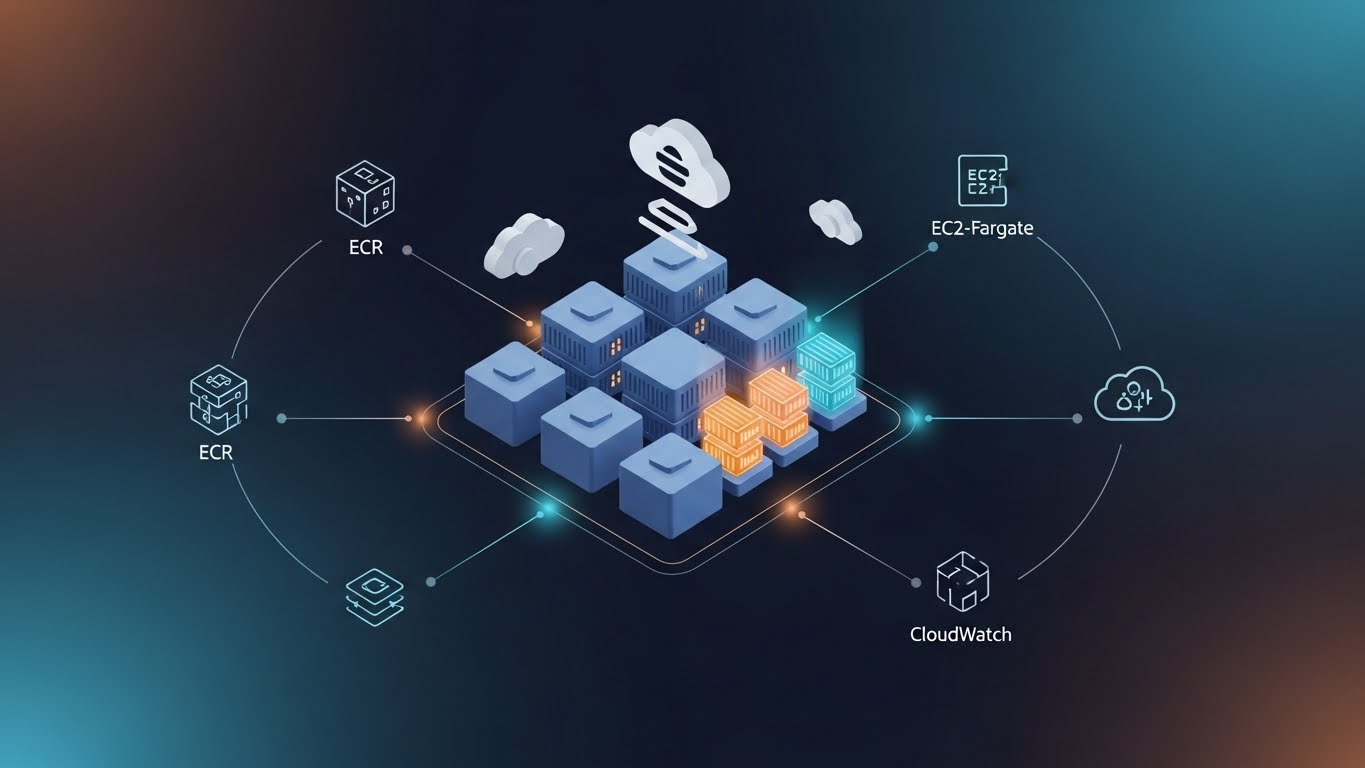
AWS Elastic Container Service (ECS) is a fully managed container orchestration service that allows you to run, scale, and manage Docker containers on AWS without having to operate your own container management infrastructure.
At a high level, ECS helps you:
- Run containerized applications in production.
- Scale containers automatically based on demand.
- Manage application deployments and updates.
- Integrate tightly with other AWS services like ALB, IAM, CloudWatch, and ECR.
Instead of manually managing servers and container runtimes, ECS abstracts much of the complexity so you can focus on shipping applications, not maintaining orchestration software.
Why ECS Matters
Containers are now a standard way to package and deploy applications, but running them at scale introduces challenges:
- Scheduling containers across machines.
- Handling failures and restarts.
- Scaling workloads up and down.
- Managing networking and security.
ECS solves these problems in a way that is:
-
AWS-native
Built from the ground up to work seamlessly with AWS infrastructure. -
Fully managed
No control plane to install, patch, or maintain. -
Flexible
Supports multiple launch types and workload patterns. -
Production-ready
Used by companies running everything from simple APIs to large microservice architectures.
If you’re already in the AWS ecosystem, ECS is often the most straightforward path to running containers reliably.
Core ECS Concepts
To understand ECS, you need to be familiar with a few foundational building blocks.
Cluster
An ECS cluster is a logical grouping of compute capacity where your containers run.
Think of it as:
- A pool of resources (VMs or serverless capacity).
- Where ECS schedules and manages containers.
A cluster can contain:
- EC2 instances (EC2 launch type), or
- AWS-managed serverless capacity (Fargate launch type).
Clusters themselves don’t run applications—they simply provide the environment where tasks are placed.
Task Definition
A task definition is a blueprint for your application.
It describes:
- Which container image to run (e.g., from Amazon ECR or Docker Hub).
- CPU and memory requirements.
- Port mappings.
- Environment variables.
- Logging configuration.
- IAM roles for the task.
You can think of a task definition as the ECS equivalent of a Docker Compose service or a pod spec in Kubernetes.
Example (conceptually):
- Container image:
my-app:latest - CPU: 256 units
- Memory: 512 MB
- Port: 3000
- Environment:
NODE_ENV=production
ECS uses this definition to know how to run your container.
Task
A task is a running instance of a task definition.
- If you run one task, ECS launches one set of containers.
- If you run ten tasks, ECS launches ten identical copies.
Tasks can be:
- Short-lived (batch jobs, workers).
- Long-running (web services, APIs).
If a task crashes, ECS can automatically restart it depending on your configuration.
Service
An ECS service ensures that a specified number of tasks are always running.
It handles:
- Maintaining desired task count.
- Restarting failed tasks.
- Integrating with load balancers.
- Rolling deployments and updates.
For example:
- Desired count: 3
- ECS ensures 3 tasks are always running.
- If one task dies, ECS starts a replacement.
Services are commonly used for:
- Web applications.
- APIs.
- Background services that must always be available.
Launch Types: EC2 vs Fargate
ECS supports two main ways to run containers.
EC2 Launch Type
With the EC2 launch type, you manage the underlying EC2 instances.
You are responsible for:
- Choosing instance types.
- Scaling EC2 capacity.
- Patching and maintaining the OS.
Pros:
- More control over infrastructure.
- Can be cheaper at large scale.
- Supports specialized workloads (e.g., GPUs).
Cons:
- More operational overhead.
- You manage servers.
Fargate Launch Type
With AWS Fargate, AWS runs and manages the infrastructure for you.
You only define:
- CPU and memory.
- Container image.
- Networking and IAM settings.
Pros:
- No servers to manage.
- Simpler setup.
- Pay only for what you use.
Cons:
- Slightly higher cost per unit.
- Less low-level control.
For beginners and many production workloads, Fargate is the recommended starting point.
Networking and Security
ECS integrates deeply with AWS networking and security primitives.
Networking
- Runs inside your VPC.
- Uses subnets and security groups.
- Supports Application Load Balancers for traffic routing.
Each task can have:
- Its own elastic network interface (ENI).
- Private IP addressing.
- Controlled inbound and outbound access.
IAM Integration
ECS uses IAM roles to control permissions:
-
Task execution role
Allows ECS to pull images and write logs. -
Task role
Grants the application inside the container permissions (e.g., access to S3, DynamoDB).
This follows the principle of least privilege, avoiding hard-coded credentials.
When Should You Use ECS?
ECS is a great choice if:
- You want to run containers on AWS with minimal setup.
- You prefer a managed solution over running Kubernetes yourself.
- You need tight integration with AWS services.
- You want a clear, opinionated model for deploying containers.
Common use cases include:
- REST APIs and backend services.
- Microservices architectures.
- Background workers and queue consumers.
- Scheduled and batch workloads.
Final Thoughts
AWS ECS provides a powerful yet approachable way to run containerized workloads in the cloud. By abstracting away much of the orchestration complexity, it allows teams to focus on application logic, scalability, and reliability instead of infrastructure plumbing.
In future articles, we’ll dive deeper into:
- Creating your first ECS cluster.
- Writing task definitions step by step.
- Deploying services with load balancers.
- ECS vs EKS: choosing the right tool.
If you’re starting your container journey on AWS, ECS is an excellent place to begin.